 oCam
oCam  VirtualDVD
  CoffeeZip
  SecretFolder
  CapturePlus
 How to change your password
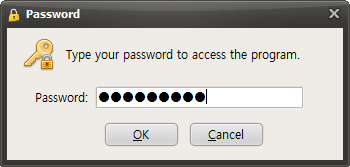
Input your current password after execute SecretFolder progame.
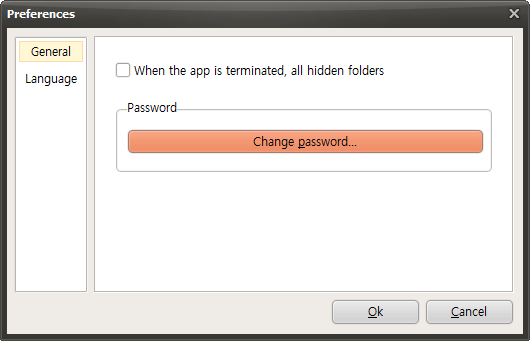
Click "Preferences" button on your menu bar.

On this Preferences window, click "change password" button.
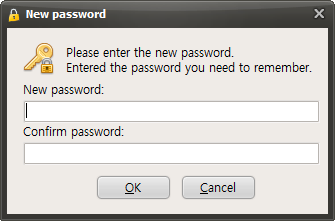
Input your new password.


 OhSoft Manual List


|
This problem occurs when the recording file fails to create the recording file with the user specified storage path when creating the recording file. To solve the problem, you need to change the path to save the recording file. * Check out various tips.Back to top |