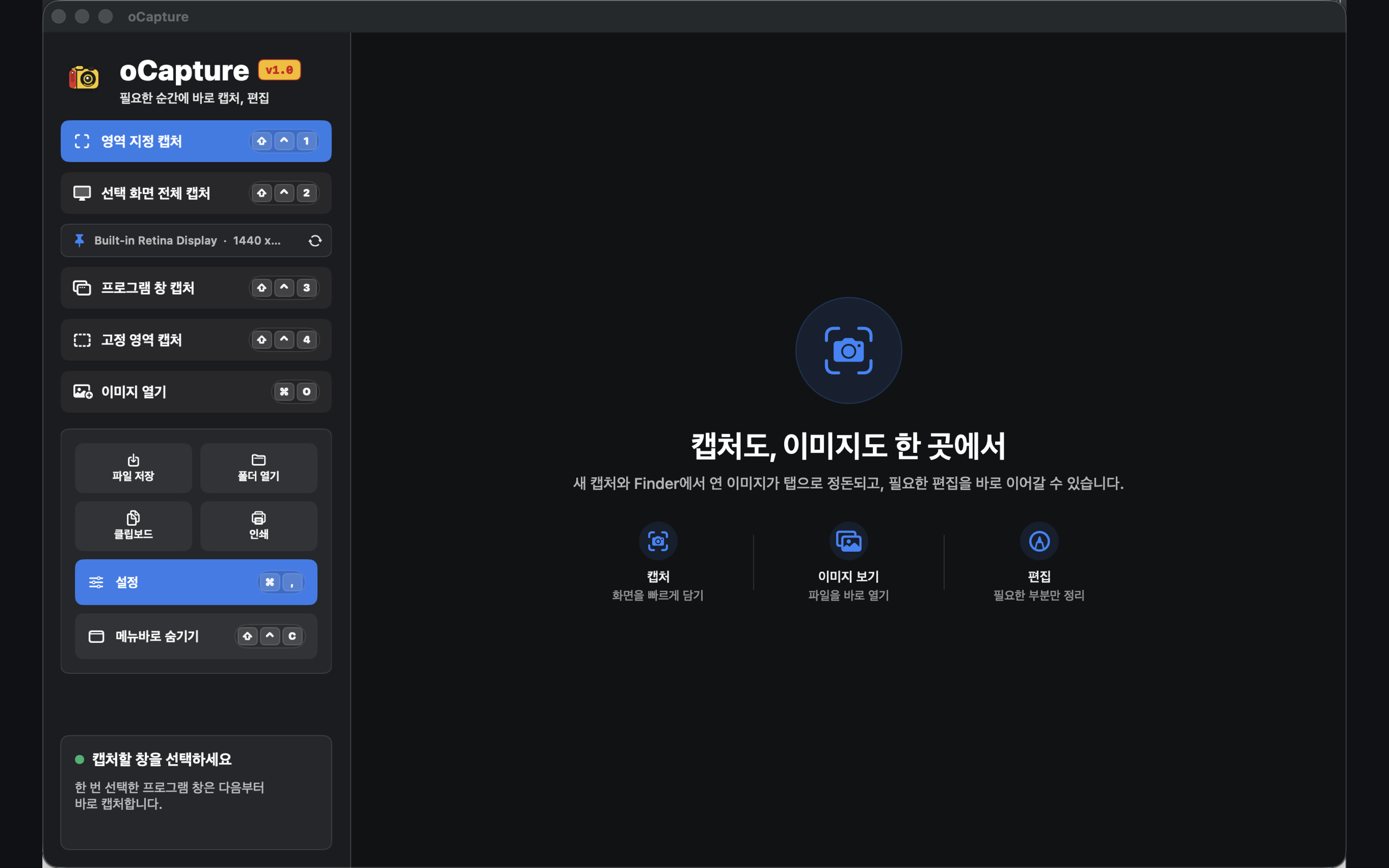
Capture Workspace
Quickly start region, selected screen, app window, and fixed-region captures all in one view.
Capture, edit, and save the moment you need it. From region, full-screen, window, and fixed-region capture to annotation and image organization, it all happens in one place.
Capture results and image files are organized in tabs so your work stays uninterrupted, and frequently used features are right at hand in the menu bar and keyboard shortcuts.
Quickly start region, selected screen, app window, and fixed-region captures all in one view.
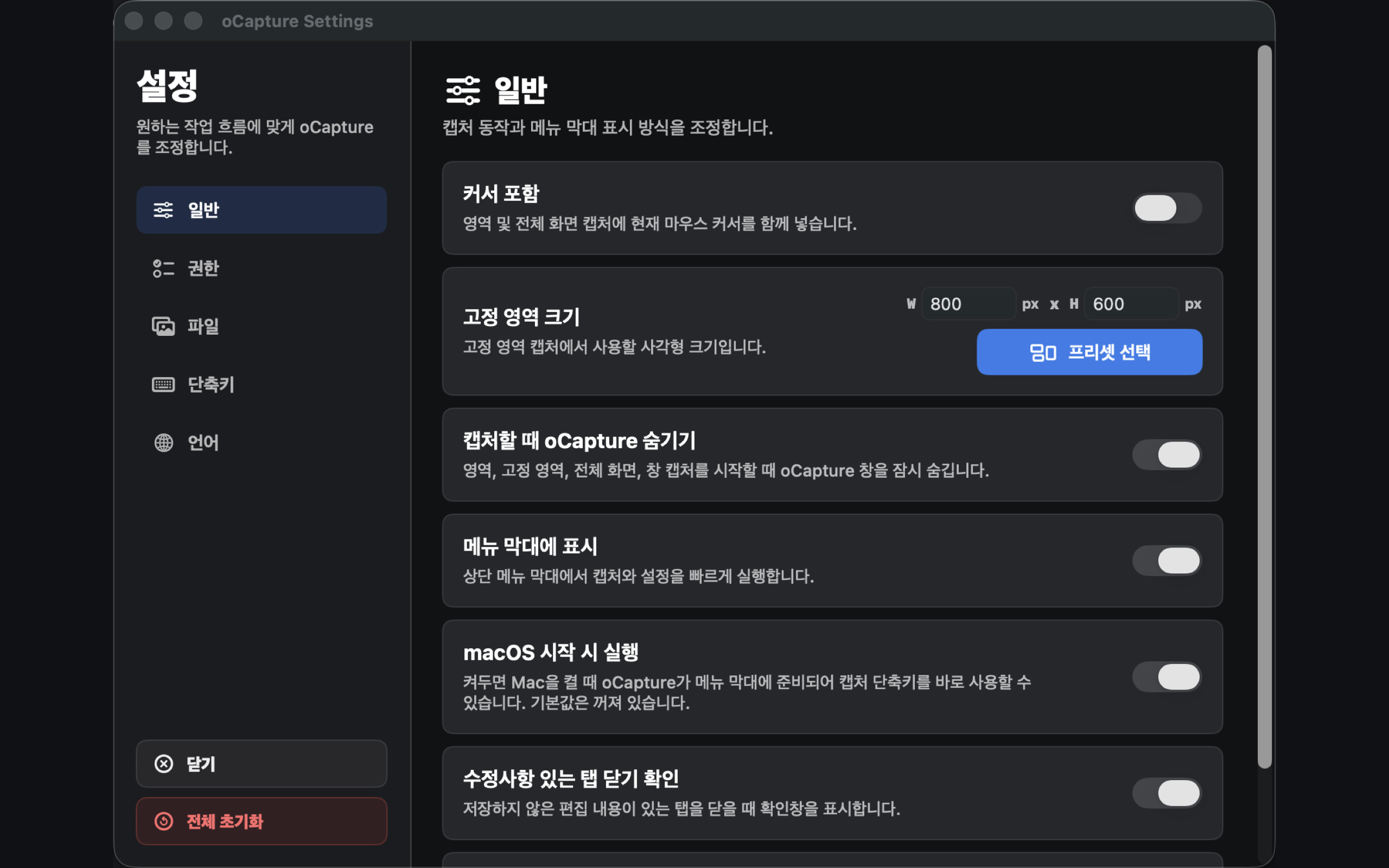
Fine-tune common actions such as save location, file naming, menu bar visibility, and launch at login.
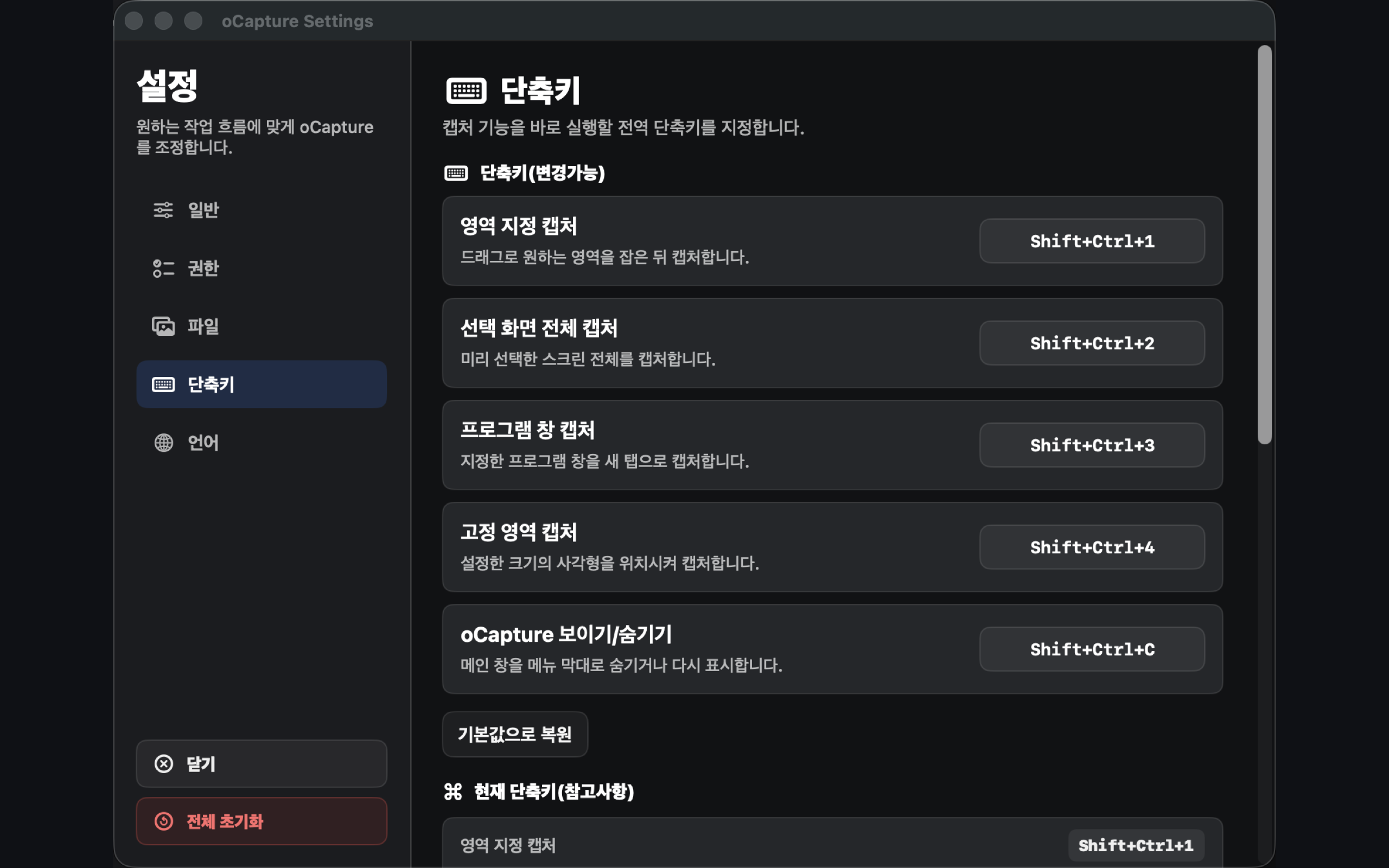
Capture instantly with global shortcuts whenever you need to—without bringing the app to the front—and keep working.
Choose region, full screen, app window, or fixed region to suit the situation.
Includes pen, highlighter, text, shapes, arrows, mosaic blur, and cropping.
Export your way: save as JPG/PNG, copy to the clipboard, or print.
Keep the app hidden and launch instantly via the menu bar and global shortcuts.
Capture, edit, and save in a single window to save time.
oCapture first checks macOS permissions and save locations so capture and saving work reliably.
Guides you through granting the macOS Screen Recording permission required for capture features and lets you re-check its status.
The save folder permission is stored securely so your captures are saved right away.
Use the default shortcuts, or change them in Settings to fit the way you work.
oCapture does not use account sign-up, ad tracking, or analytics SDKs. Capture images and editing files are processed on your Mac and saved to the location you choose.
Download it from the Mac App Store and go from capture to editing the moment you need it.