6 Fixes When Windows Search or the Start Menu Stops Working
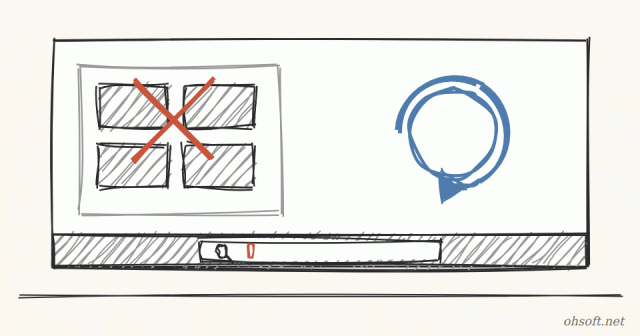
Sometimes the Start button does nothing, or typing in the search box returns no results. In most cases File Explorer or the search service has gotten stuck, and the steps below will fix it.
1. Restart Windows Explorer
- Press Ctrl + Shift + Esc to open Task Manager.
- On the Processes tab, right-click Windows Explorer and choose Restart.
- The taskbar disappears for a moment and comes back. This fixes the most common freezes.
2. Restart the PC
- Choose Restart, not Shut down. Because of Fast Startup, shutting down may not fully reset things.
- If the Start menu will not open, use the power button in the lower-right corner of the Ctrl + Alt + Delete screen.
3. Run the search troubleshooter
- Go to Settings → System → Troubleshoot → Other troubleshooters and run "Search and Indexing".
- You can open Settings with Win + I even when the Start menu is not working.
4. Rebuild the search index
- Open Settings → Privacy & security → Searching Windows → Advanced indexing options.
- Click Advanced → Rebuild to build the index from scratch. With many files it can take hours, but you can keep using the PC.
5. Check system files
- In Task Manager, choose Run new task, type cmd, check "Create this task with administrative privileges" and open it.
- Run sfc /scannow, and when it finishes, run DISM /Online /Cleanup-Image /RestoreHealth.
- Once damaged system files are repaired, restart and check again.
6. Look at recent updates
- If the problem started right after an update, you can remove the latest one under Settings → Windows Update → Update history → Uninstall updates.
- For reference, the November optional update (KB5132057) includes a redesigned search results list and search performance improvements.
References: Microsoft Support – Fix problems in Windows Search, Microsoft – KB5132057
Blog
- Windows 11 November Optional Update (KB5132057): New Search and Windows Hello Changes, and Possibly One Extra Restart
- YouTube Doubles the Bar for Monetization: 8,000 Watch Hours From 2027
- Beware of Fake Black Friday Shopping Sites: 7 Ways to Tell Them Apart
- Musk: Tesla's AI5 Chip Goes to Optimus First, Cars Stay on AI4
- Google Launches Gemini 4 Neon, and Gemini Can Now Operate Your Mac
- OpenAI Releases GPT-6.2 Astra and Sol, Cuts Astra API Price by 20%
- Windows Hello PIN or Face Sign-in Not Working? How to Fix It
- Windows 11 Feels Slow or Recordings Stutter? How to Switch the Power Mode to Best Performance