"Held Emails Will Be Deleted in 24 Hours": Beware Fake Emails Exploiting the Microsoft 365 Outage
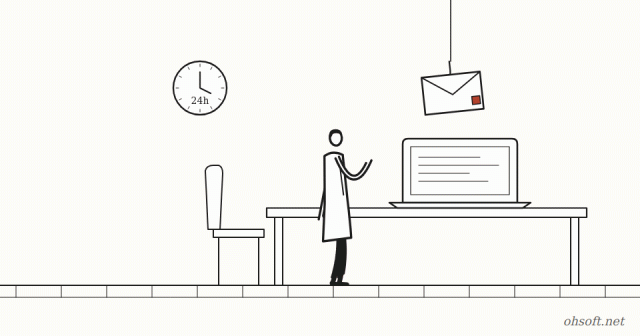
Microsoft 365 (Outlook and Exchange Online) had an outage on November 12. Right after it, Microsoft's security team warned that fake emails using the outage as an excuse were going around. If you use Outlook at work, here's what to know.
What do the emails look like?
- They are dressed up as Microsoft 365 "Service health" notices, and even quote the real incident number (EX1550543) to look genuine.
- They rush you, saying messages held during the outage will be deleted within 24 hours unless you click to restore them.
- The subject looks like "Outage – " followed by a six-character code, and the sender name is a company-like prefix followed by "Outage Notification" or "Service Health".
- Clicking the link sends you through several redirects to a site that has nothing to do with Microsoft. Microsoft describes the activity as consistent with credential phishing.
How to spot it
- Check the domain in the sender's address. These emails came from unrelated domains, not microsoft.com.
- Be suspicious of any email that rushes you with "within 24 hours" or "right now".
- A real incident number doesn't make the link safe. Incident numbers are already widely known.
- Hover over the link (don't click) to see the real address.
If you already clicked
- If you entered your password on a sign-in page, change it right away and tell your IT team.
- Turn on two-step verification (an authenticator app) if it's off.
- Check Outlook settings for any mail forwarding rules you didn't create.
How to check outage news safely
- Instead of links in emails, type the address yourself and check Service health in the Microsoft 365 admin center (admins). Other users can wait for their company's IT notice.
- After an outage ends, held messages usually arrive on their own. You almost never need to "click to restore" them.
Microsoft says it hasn't confirmed whether any account details were actually stolen. But the same trick comes back with every outage, so it's worth remembering.
Sources: Microsoft Threat Intelligence (X), Cyber Security News – Phishing exploiting the Microsoft 365 outage
Blog
- Tesla's "Optimus Academy": 10,000 to 20,000 Robots Learning Together, and Optimus May Plug In Robotaxis
- Too Many Notifications? Use Do Not Disturb, Focus and Per-App Settings in Windows 11
- How to Check Your PC Specs: CPU, RAM, Graphics Card and Motherboard (Windows 10 and 11)
- Print Job Stuck in the Queue? How to Clear It and Get Your Printer Working Again (Windows 11)
- YouTube View Counts Now Include TV "Co-Views": One Play Can Count as Three, but Not for Pay
- Humanoid Robots Join China Post: Sorting Parcels at 11 Hubs in 8 Guangdong Cities, 1,500 an Hour
- Tesla Doubles Its Miami Robotaxi Area, and Musk Says Owner Cars "May Start Trials Next Month"
- Reinstall Windows 11 Without a USB Drive: How to Use the New Cloud Rebuild