Your AI Prompts Were Being Secretly Kept: What a Security Firm Found With 2 Million Test Prompts
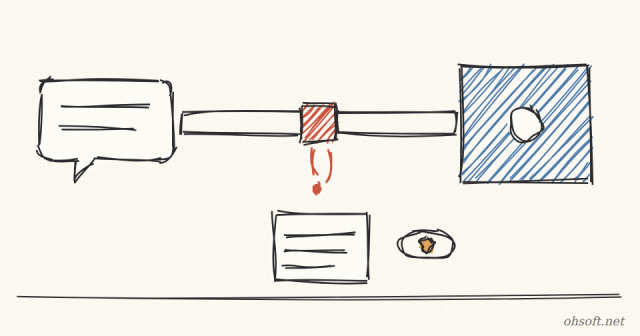
Industrial security firm Dragos sent about two million prompts to a range of AI services over five months, from July to November. Each prompt contained fake URLs and fake credentials (canary tokens) that reveal immediately when someone opens them, and Dragos tracked where that information showed up again.
1. Three AI providers had been breached
- Attackers were copying incoming requests wholesale at three AI providers, and none of the three knew until Dragos told them.
- Fake cloud (AWS) keys planted in prompts were used starting the next day, in tens of thousands of access attempts in total.
- Requests marked "do not retain data" were stolen along with the rest.
2. Cheap AI resellers were reading prompts
- On an inference marketplace that offers many AI models cheaply in one place, some sellers listed the lowest price, took the requests, and kept the prompts with ordinary logging.
- No hacking was needed, and individuals on home internet connections even tried to log in with passwords found in the prompts.
3. "Do not store" settings were ignored
- One Chinese AI lab secretly opened the secret URLs from more than half of the prompts sent to its models, two or three days later, including about two-thirds of requests marked "do not store".
- Prompts sent to US companies hosting that lab's models flowed back to the lab in the same way.
- A link from one prompt was posted in a Chinese company chat (Feishu) 24 days later, and one large US provider kept revisiting a secret URL for more than two months.
How to protect your information
- Do not paste passwords, API keys, customer data or internal company documents into AI chats or AI tools.
- Official services from the AI companies themselves are safer than suspiciously cheap AI relay or reseller services.
- If you have ever put a key or password into an AI tool, change it right away.
Source: Dragos – AI supply chain leaks found with canary tokens
Blog
- OpenAI Releases GPT-6.2 Astra and Sol, Cuts Astra API Price by 20%
- Windows Hello PIN or Face Sign-in Not Working? How to Fix It
- 6 Fixes When Windows Search or the Start Menu Stops Working
- Windows 11 Feels Slow or Recordings Stutter? How to Switch the Power Mode to Best Performance
- Nvidia Reinstates Jensen Huang as CEO 12 Days After His Exit, Stock Jumps 31%
- Getting "Out of Memory" While Recording or Editing? How to Check and Set Virtual Memory (Page File)
- How to Fix a Slow or Not Responding File Explorer in Windows 11
- How to Check Your Windows Activation Status and Fix Error 0x80041008 After the November Update