 OHSOFT
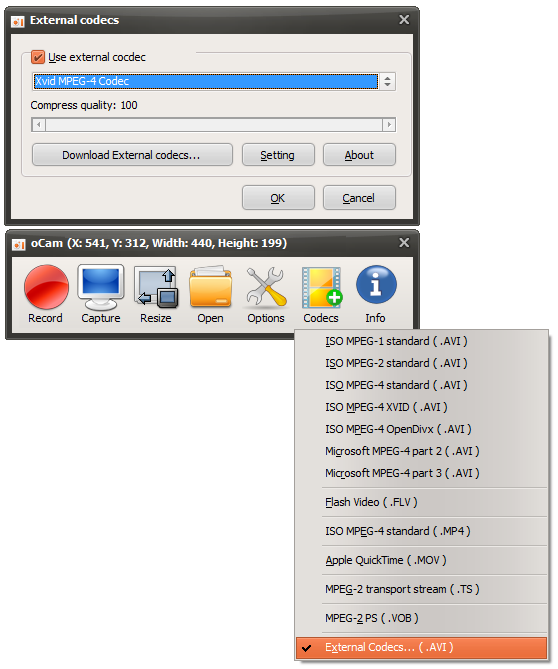
Xvid
1.3.1Implements the MPEG-4 Simple Profile and Advanced Simple Profile standards. The most compatible choice.
DownloadInstall one of these codecs to record smaller, high-quality videos with oCam's External Codecs option.
Implements the MPEG-4 Simple Profile and Advanced Simple Profile standards. The most compatible choice.
DownloadThe VfW (Video for Windows) version of the well-known x264 encoder with the ffh264 decoder.
DownloadGoogle's codec that encodes with the same or higher quality than most H.264 encoders.
DownloadFiles are downloaded from OhSoft's official GitHub archive.