Differences in the Paid Version of oCam and How to Register the Serial Number
This software is free for non-commercial personal use, so businesses and users using it for commercial purposes must purchase a license.
If you use it in a company, organization, public institution, educational institution, or PC cafe, please purchase a license before use.
There is no difference in functionality between the free and paid versions. All ads shown in the free version are removed in the paid version.
Of course, non-commercial individual users may also purchase it if they want to remove the ads.
After purchase, the serial number will be sent to you by email, and you can use the software after registering it as shown below.
[How to Apply the Serial Number]
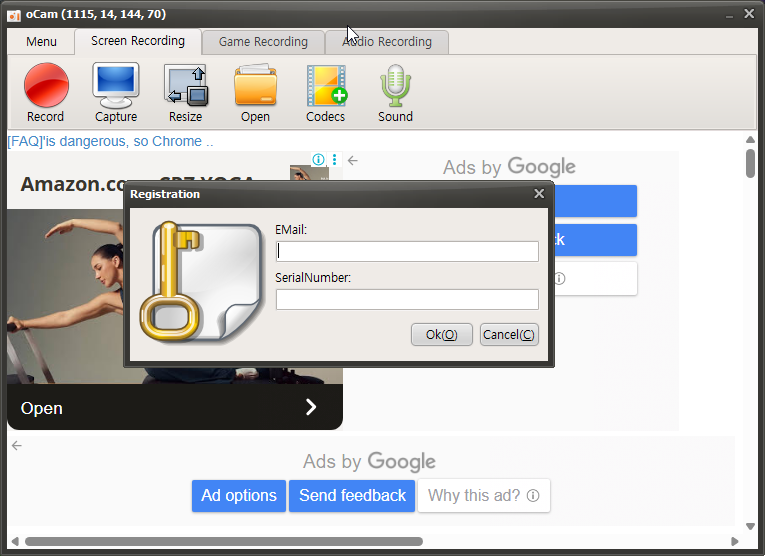
As shown above, click the menu and select Register, then enter your email address and serial number and click OK. Authentication will proceed as shown below.
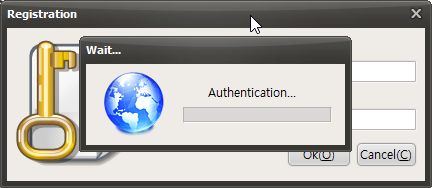
After a short wait, the registration will be completed successfully.
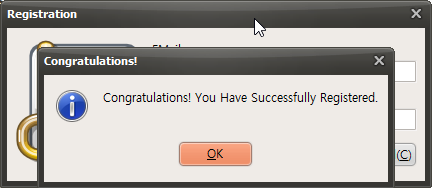
[Registered oCam Licensed Version]
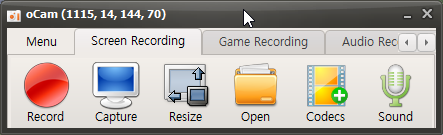
This is the registered screen with the ads removed.
For reference, the ads that opened when exiting the free version are also removed in the paid version.
Today's News/Tips
How to Fix Audio Sync Issues When Editing in Adobe Premiere
oCam is set to use Variable Frame Rate (VFR) mode by default, which allows it to adjust the frame rate flexibly depending on system performance and the recording environment. This setting is advantageous for efficient use of system resources, but it can cause compatibility issues with certain video editing software.
In particular, in professional editing software such as Adobe Premiere Pro, when loading a video file recorded with Variable Frame Rate, the irregular frame intervals may cause the audio and video to go out of sync. To fix this, you should change the setting in oCam to Constant Frame Rate (CFR) before recording.
To set it to Constant Frame Rate, follow these steps:
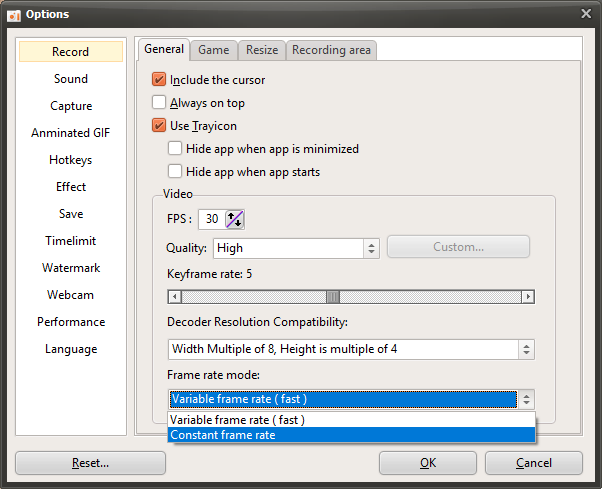
1. In the oCam main window, click 'Tools' in the top menu, then select 'Options'.
2. When the Settings window opens, go to the 'Recording' tab in the left menu.
3. In the 'Recording' tab, find the 'General' section and check the 'Frame Rate Mode' option.
4. Change the frame rate mode from 'Variable Frame Rate' to 'Constant Frame Rate'.
5. Click the 'OK' button to save the setting.
After changing to Constant Frame Rate and recording again, the frame intervals in the video will remain consistent, which can resolve audio and video sync issues in editing software such as Adobe Premiere Pro. This setting is especially essential for users who plan to edit videos and provides a more stable editing environment. After changing the setting, restart oCam and make a test recording to confirm that the result plays back correctly.